

Your first case sets the tempo for the whole day. Know exactly why it starts late.
First case on-time start depends on three people: the pre-op nurse, anesthesiologist, and the surgeon. Synchrony captures their sign-in times, then shares them with the OR team, so a late start comes with a name and a reason instead of a shrug.
Request a Demo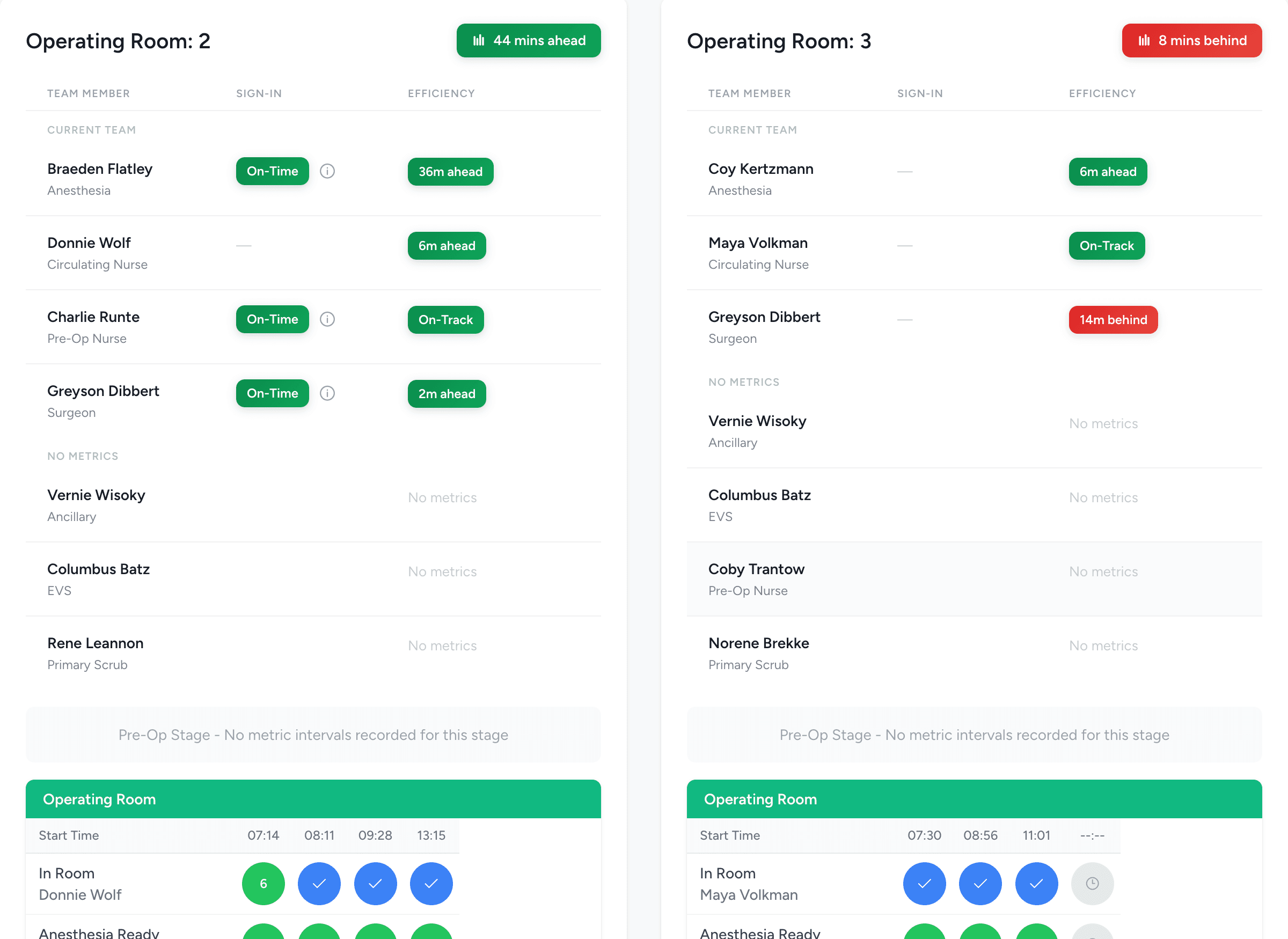
Accountability that protects your team, too
When a first case runs late, the nurse is often the first one asked what happened. Timestamped sign-ins change that conversation. If the patient was ready at 7:25 and the surgeon signed in at 7:42, that is on the record, rather than the nurse’s word against the surgeon’s.
The same measurement that flags who kept the room waiting also defends the person who was ready on time. Strong readiness shows up in the analytics as clearly as a late sign-in does.
The readiness check
Three sign-ins, each one timed and attributed
Synchrony captures the first-case start as a Sign-In readiness check: three confirmations, in pre-op as they happen.
Pre-Op nurse ready
The Pre-Op nurse marks the patient prepared and ready for the room. That is the first of the three confirmations that has to land before the case can start.
Anesthesiologist sign-in
The anesthesiologist confirms presence with a single tap, timestamped the moment they sign in.
Surgeon sign-in
The surgeon confirms presence the same way. All three readiness points are now on the clock rather than in someone’s memory.
Each confirmation is timestamped the instant it is made and attributed to the person who made it. That gives you three timestamps to line up against the scheduled start and against each other, in place of a gut feel about who was ready.
See who starts on time, and who keeps the room waiting
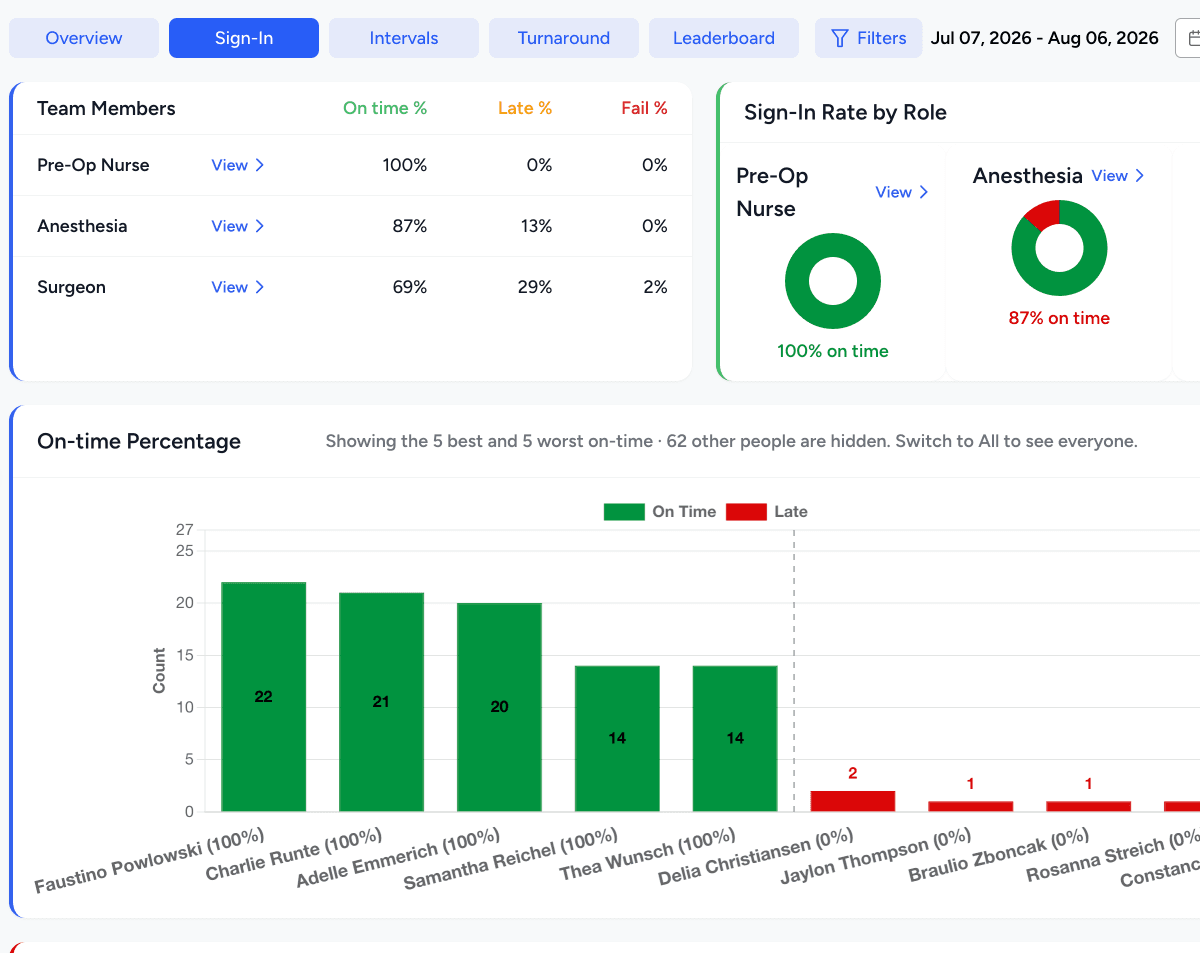
The Sign-In analytics tab turns those timestamps into a scoreboard for the morning start.
On-time vs. late by role
Per-role pie charts and an on-time percentage show whether its pre-op nurse, anesthesiologist, or the surgeon that keeps the start waiting.
Minutes-late trend
The minutes-late graph tracks how far off the start runs over time, so you can tell a bad week from a standing pattern.
Per-staff drill-down
A per-staff bar graph, filterable by role, takes you from “anesthesia ran late four mornings” to exactly which anesthesiologist, and by how many minutes.
This is one tab in the same platform that measures the rest of your case flow. See how Synchrony measures every interval, from sign-in through PACU.
When the delay was real, put it on the record
Not every late start is someone dragging their feet. A trauma bumps the board; a consent runs long. Synchrony keeps the record honest in both directions.
Reason codes
Document a late start with a reason code, so the delay carries context instead of just a red number.
Forgivable delays
A genuinely unavoidable delay can be marked forgivable and excluded from performance analytics, so the numbers stay fair to the people behind them.
Reassignment
When the delay belonged to someone other than the sign-in owner, reassign it. The minutes move to the party responsible and the owner’s record stays clean.
The rest of the surgical day
Time is lost in three places, and they compound: a late first case pushes every case behind it, and slow turnarounds push them again.
Operating Room Efficiency
Case flow scored, minutes priced
Turnaround Time
Patient out to next patient in
Start the day on schedule
Book a walkthrough, then start with a 60-Day Assessment or go straight to Continuous Analytics. Either way, your first-case starts get measured and attributed.